


Shiny glass ball to splash in Photoshop
In this tutorial will show how to draw in Photoshop a ball of glass, it will be very useful in their own, work with the dynamism that this design can be used in this tutorial I used Photoshop.
Open a file in the 500x500 and make a ball with the perfect selection tool;

Fill with a gradient from clear to dark in here I used the red,
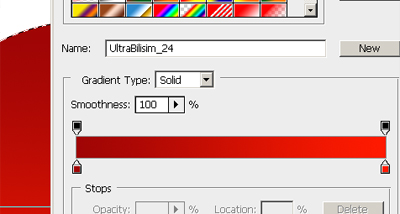
Now the effect of use the Layer Style (Layer> Layer Style> Blending Options.) And put the values you put in the picture below,
"Note: Depending on the file size values may be different."

Will be more or less like this:

Now Hold the CTRL on your keyboard and click the layer that is the ball to make a selection automatically, and then go to select> Modify> Contract ... value put in 5 pixels and give OK.

Take now the tool PenTool (pen) or press the letter "P" on your keyboard and make the following selection,

After having closed the selection with the pen cilque the same selection with the right mouse button, and place the option make selection.

A dialog box and leave the following options,

Now make a new layer and fill the blank and adjust the opacity,

Our tutorial is now complete, do not forget to subscribe our RSS and stay for new features, no doubt put a comment.


0 comments:
Post a Comment